
Please note: As an Amazon Associate I earn from qualifying purchases. I also work with other affiliate partners and may be compensated from the links below. Details here.
Looking for the perfect white gaming monitor to elevate your setup? You’re in the right place.
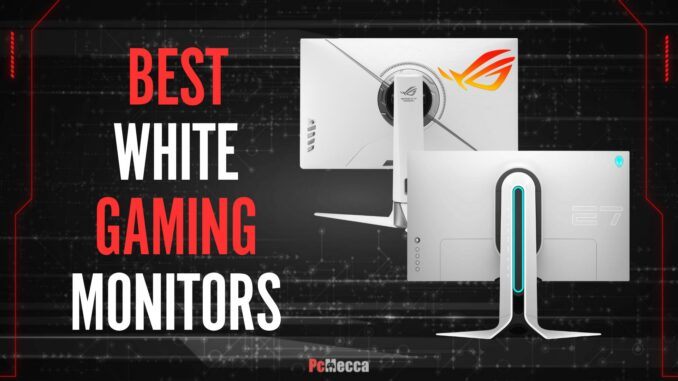
In this article, we’ll guide you through some of the best white gaming monitors available in 2025, helping you find the ideal one to match your gaming style, preferences, and aesthetic.
Whether you’re a competitive gamer seeking ultra-fast refresh rates, a content creator in need of accurate color reproduction, or someone simply looking for a sleek, modern design to complement your rig, we’ve got you covered.
We’ll break down the features that matter most—like gaming performance, visual quality, panel technology, design, and much more—so you can make an informed choice and take your gaming experience to the next level.
Let’s dive in and help you find the perfect monitor for your setup!
8 Best White Gaming Monitors in 2025 Round-Up
The table below will give you a quick look at our selections for the 8 best white gaming monitors currently available on the market. To read a full review, simply click on ‘read review’ in the respective row.
1. Alienware AW2723DF Best for most gamers |  | 5/5 9.8/10 | |
2. LG UltraGear 34GS95QE Best premium |  | 4.5/5 9.7/10 | |
3. Pixio PX248 Prime V2 Best Budget |  | 4.5/5 9.5/10 | |
4. Samsung Odyssey OLED G6 Best for competitive players |  | 5/5 9.8/10 | |
5. Samsung Odyssey OLED G9 Best ultrawide |  | 4.5/5 9.7/10 | |
6. ASUS XG27UCG-W Best for work & play |  | 5/5 9.8/10 | |
7. Pixio PX32U Wave White Best for console |  | 4.5/5 9.4/10 | |
8. Sceptre C305B Best budget ultrawide |  | 4/5 9.2/10 |
1. Alienware AW2723DF
Best White Monitor For Most Gamers
Screen Size: 27″ | Resolution: QHD (2560 x 1440) | Panel Type: IPS | Aspect Ratio: 16:9 | Response Time: 1 ms | Refreshing rate: Up to 280 Hz | Brightness: 380 cd/m2 | Contrast Rate: 1000:1 | Curved: No | I/O Ports: DisplayPort 1.4, 2x HDMI 2.0, 4x USB 3.2, Audio

REASONS TO BUY
- Buttery-smooth gameplay with up to 280hz refresh rate
- G-Sync and FreeSync support for tear-free gameplay
- Gorgeous IPS panel with accurate color reproduction
- Impeccable build quality
- Plenty bright
- Sleek Lunar Light design with RGB accents
- Excellent for both gaming and professional work
- Highly adjustable stand
- Excellent connectivity
REASONS TO AVOID
- Low contrast affects dark scene quality
- Underwhelming HDR performance
Our Rating: 9.8/10
If you’re on the hunt for a white gaming monitor that delivers top-notch performance without completely emptying your wallet, the Alienware AW2723DF should be at the top of your list. After spending considerable time with it, I can confidently say this monitor strikes the perfect balance between performance, features, style, and value, making it an excellent choice for most gamers looking for a white monitor.
First thing first, the AW2723DF is built for speed. With its native 240Hz refresh rate—overclockable to 280Hz—and an incredibly fast 1ms response time, this monitor ensures your games look and feel as smooth as possible. Whether you’re dominating in Valorant or diving into sprawling worlds of Elden Ring, you’ll notice a significant improvement in motion clarity and responsiveness.
Screen tearing is also not an issue here, thanks to its adaptive sync compatibility with both AMD FreeSync Premium Pro and Nvidia G-Sync. If you’re a competitive gamer, this monitor is a game-changer for keeping up with fast action.
Beyond speed, the visual quality is where the AW2723DF also shines. Its QHD (2560 x 1440) resolution is the sweet spot for sharp visuals without the strain on your graphics card that comes with 4K. The Fast IPS Nano Color panel enhances colors beautifully, covering 95% of the DCI-P3 color gamut, which means vibrant, lifelike images in every game.
From lush jungles to neon-soaked cityscapes, the details pop in a way that fully immerses you. However, it’s worth noting that the monitor’s contrast ratio isn’t the highest. Blacks can appear more grayish, especially in dark rooms, so if you’re a fan of horror games or cinematic experiences, this could be a minor drawback.
Additionally, Alienware’s attention to detail is evident in the AW2723DF’s build. It feels sturdy and solid, with a weighty base that keeps it stable even during adjustments. And speaking of adjustments, the stand offers full height, tilt, swivel, and pivot options, making it easy to position the monitor exactly how you want for long gaming sessions.
Design-wise, the monitor is sleek and modern. The Lunar Light finish and subtle RGB lighting on the back give it a premium aesthetic without screaming “gamer” too loudly. Plus, the thin bezels make it perfect if you’re considering a dual-monitor setup.
Furthermore, this monitor doesn’t just perform well—it also caters to practical needs. With a retractable headset stand and a range of connectivity options, including two HDMI ports, a DisplayPort, USB hubs, and an audio jack, it’s ready to handle all your gaming peripherals. Plus, the on-screen menu is intuitive, offering plenty of customization, including pre-calibrated gaming modes for different genres.
At its price point, the AW2723DF offers exceptional value. While it’s not the cheapest option, the combination of its high-performing panel, impressive color reproduction, top-notch build quality, and extra features make it a worthwhile investment for gamers who want reliable performance without splurging on luxury-tier monitors. If you’ve been debating upgrading from a standard 144Hz monitor, this one will make the jump worth every penny.
No product is without flaws, and the AW2723DF has a couple to consider. The low contrast ratio means it might not deliver the deep blacks you’d want for darker games. HDR performance is also limited, with its edge-lit local dimming not doing much to enhance highlights in HDR content compared to some of its competitors.
Overall, the Alienware AW2723DF will be, in my opinion, the best white monitor for most gamers in 2025. Its blend of speed, visual quality, features, and beautiful design makes it a fantastic all-around option, whether you’re into fast-paced shooters or visually stunning AAA titles.
- READ ALSO: Best White Gaming Headsets
2. LG UltraGear 34GS95QE
Best Premium White Gaming Monitor
Screen Size: 34″ | Resolution: UWQHD (3440 x 1440) | Panel Type: OLED | Aspect Ratio: 21:9 | Response Time: 0.03 ms | Refreshing rate: 240 Hz | Brightness: 275 cd/m2 | Contrast Rate: 1500000:1 | Curved: Yes | I/O Ports: DisplayPort 1.4, 2x HDMI 2.1, 3x USB 3.2, Audio

REASONS TO BUY
- Premium design with a sleek white finish and slim bezels
- Super immersive 34” ultrawide curved display (800R)
- Ultra-responsive, top-of-the-line gaming performance
- Gorgeous OLED panel with deep blacks and vibrant colors
- Near-perfect color reproduction for professional work
- G-Sync and FreeSync support for tear-free gaming
- Adjustable stand for ergonomic use
- Plenty of connectivity options
REASONS TO AVOID
- Risk of OLED burn-in with static images
- Text clarity suffers due to the subpixel layout
- High price point
Our Rating: 9.7/10
If you’re looking for a premium white gaming monitor that blends cutting-edge technology with a breathtaking ultrawide experience, the LG 34GS95QE deserves your attention. This 34-inch OLED display doesn’t just impress on paper—it transforms how you game and work with features that truly matter.
Right away, you’ll notice how this monitor makes gameplay incredibly smooth and responsive, thanks to its 240Hz refresh rate and ultra-fast 0.03ms response time. If you’re into competitive gaming, this means sharper motion, reduced blur, and faster reactions—giving you the edge in fast-paced titles like shooters or racing games. Combined with Nvidia G-Sync and AMD FreeSync Premium Pro support, it eliminates screen tearing and stuttering, so you can stay immersed in the action without distractions.
The OLED panel is where this monitor really shines. Its ability to produce true blacks and vibrant colors creates a level of depth and realism that’s hard to match. Playing visually rich games like RPGs or open-world adventures feels like stepping into another world. The 3440×1440 resolution ensures sharp, crisp visuals, while the ultrawide 21:9 aspect ratio and 800R curvature wrap the screen around you, enhancing immersion. You’ll feel more connected to your games and even enjoy a cinematic boost when watching movies.
On the design side, the LG 34GS95QE fits perfectly into any premium gaming setup. Its white finish and nearly borderless display make it visually stunning, while its build quality feels solid and durable. More importantly, the stand’s height, tilt, and swivel adjustments allow you to find the most comfortable viewing angle for those marathon gaming or work sessions.
The connectivity options are a huge plus, especially if you switch between a PC and the latest consoles. With HDMI 2.1 and DisplayPort, you can take full advantage of high-frame-rate gaming on next-gen hardware. The on-screen controls are simple and effective, offering quick access to custom settings and performance metrics, so you’re always in control of your display preferences.
When it comes to value, there’s no denying this monitor’s price tag is high, but it’s a case of getting what you pay for. The OLED technology, ultrawide format, and 240Hz refresh rate come together to deliver a gaming experience that’s hard to top. If you’re serious about immersive visuals and top-tier performance, this investment pays off in spades.
However, it’s worth noting that there are a couple of potential downsides. OLED panels are prone to burn-in if static images are displayed for too long, so you’ll need to manage your usage. Additionally, the text clarity could be better due to the subpixel layout, which might be noticeable if you do a lot of document work or browsing.
All in all, if you’re a gamer who craves stunning visuals, ultra-smooth gameplay, and a monitor that makes every session feel epic, the LG 34GS95QE is for you. It’s perfect for those who play graphically intense games, enjoy competitive gaming, or work on creative projects where color accuracy is key. Just be mindful of its quirks if your usage leans more toward static content or text-heavy tasks.
- YOU MAY ALSO LIKE: Best White Graphics Cards
3. Pixio PX248 Prime V2 White
Best Budget White Gaming Monitor
Screen Size: 23.8″ | Resolution: FullHD (1920 x 1080) | Panel Type: IPS | Aspect Ratio: 16:9 | Response Time: 1 ms | Refreshing rate: 180 Hz | Brightness: 400 cd/m2 | Contrast Rate: 1000:1 | Curved: No | I/O Ports: DisplayPort 1.4, 2x HDMI 2.0, Audio

REASONS TO BUY
- Amazing gaming performance for a budget monitor
- AMD FreeSync Premium support to eliminate screen tearing and stuttering
- Vibrant colors and wide viewing angles with the IPS panel
- Adjustable stand for height and tilt customization
- Sleek white design with thin bezels for a clean, modern look
- Easy setup with plug-and-play functionality
- Affordable price offering excellent value for the features
- All-white design with solid build quality
REASONS TO AVOID
- Color accuracy does not meet professional standards
- Stand feels a bit flimsy compared to more premium models
Our Rating: 9.5/10
If you’re hunting for a budget-friendly gaming monitor that still delivers solid performance and a stylish white design, the Pixio PX259 Prime White V2 is a top contender. Offering an impressive mix of value and gaming performance, this monitor punches well above its price range, making it ideal for gamers who want a sleek, functional display without breaking the bank.
The Pixio PX259 Prime White V2 comes with a 180Hz refresh rate and a 1ms response time, which is perfect for gamers who need ultra-smooth, fast-paced action. Whether you’re into competitive esports or fast shooters, this monitor ensures you won’t miss a single frame. With AMD FreeSync Premium support, you’ll also experience reduced screen tearing and stuttering, further enhancing the smoothness of your gaming sessions.
Visually, the Pixio PX259 Prime White V2 also doesn’t disappoint. The 24.5-inch display, paired with an IPS panel, offers vibrant colors, wide viewing angles, and solid brightness. You get decent color accuracy, making it suitable for gaming and casual content creation or multimedia, though it may not meet professional standards. The FullHD resolution is standard for a 24.5-inch monitor, but the sharpness is still impressive, especially when gaming or watching videos.
In addition, the design of the Pixio PX259 Prime White V2 is sleek and modern, with a predominantly white aesthetic that fits into any clean, minimalist setup. The stand is adjustable, allowing for height and tilt adjustments, which can help you find the most comfortable viewing angle. The thin bezels and stylish design add a premium touch, making it a visually appealing addition to your desk.
In terms of connectivity, the Pixio PX259 comes with DisplayPort and two HDMI 2.0 ports, allowing you to connect to both PCs and consoles easily. The inclusion of a headphone jack is also a nice touch for a budget monitor, providing additional convenience. The monitor is plug-and-play, so setup is quick and easy without the need for complicated installation or software.
Where the Pixio PX259 Prime White V2 stands out is in its value for money. Offering premium gaming features like a high refresh rate, quick response time, and solid visual performance at an affordable price, this monitor punches well above its weight. It’s an excellent option for gamers looking for performance without the hefty price tag.
That being said, there are a few things to consider. The color accuracy is decent for gaming and general use, but it may not meet the standards of professionals working in design or photography. Additionally, the stand, while adjustable, is a bit flimsy compared to higher-end models, so you may want to invest in a VESA mount for added stability and flexibility.
Overall, the Pixio PX259 Prime White V2 is a fantastic budget gaming monitor that delivers where it matters most. It’s perfect for gamers who want a responsive, smooth experience without spending a fortune. If you’re looking for a high-performance white monitor for gaming, with solid color accuracy and a sleek design, this is an excellent option to consider.
- RELATED ARTICLE: Best White PC Cases
4. Samsung Odyssey OLED G6
Best White Monitor For Competitive Gamers
Screen Size: 27″ | Resolution: QHD (2560 x 1440) | Panel Type: QD-OLED | Aspect Ratio: 16:9 | Response Time: 0.03 ms | Refreshing rate: 360 Hz | Brightness: 250 cd/m2 | Contrast Rate: 1000000:1 | Curved: No | I/O Ports: DisplayPort 1.4, 2x HDMI 2.1, 2x USB 3.0, Audio

REASONS TO BUY
- Exceptional picture quality with deep blacks and vibrant colors
- Ultra-smooth and responsive gaming experience
- Excellent color accuracy and sharpness
- Perfect for both gaming and professional work
- VRR & AMD FreeSync Premium Pro eliminates screen tearing
- Sleek white design with thin bezels
- Highly adjustable stand
- Extensive port selection
REASONS TO AVOID
- Risk of OLED burn-in with static images
- Expensive for those on a budget
- Requires high-end graphics card
Our Rating: 9.8/10
The Samsung Odyssey OLED G6 (S27DG60) is an absolute game-changer for competitive gamers who want the edge in speed, responsiveness, and visual quality. As one of the top choices for gamers who need the ultimate performance, this monitor combines QD-OLED technology with an ultra-fast refresh rate, delivering a gaming and visual experience that’s hard to beat.
Right off the bat, the standout feature of the Odyssey G6 is its QD-OLED panel. This technology is known for delivering incredibly deep blacks and vibrant colors, which means that every in-game detail is sharp, crisp, and lifelike. The contrast is outstanding, with pure blacks that pop against bright highlights, giving you an immersive and realistic gaming experience that’s second to none.
If you’re into fast-paced competitive gaming where visual clarity and responsiveness matter, the QD-OLED panel will make everything from shadow details to brightly lit explosions stand out.
For competitive gamers, speed is the name of the game, and the Odyssey OLED G6 doesn’t disappoint. With a blazing-fast 360Hz refresh rate and a 0.03ms response time, this monitor is designed to minimize motion blur and input lag.
Every movement on the screen feels immediate, and with such responsiveness, you’ll have an edge in reflex-based games like first-person shooters or battle royales—this monitor ensures that you react without any delays, giving you a competitive advantage when milliseconds count.
Another important feature for competitive gamers is the monitor’s support for VRR and AMD FreeSync Premium Pro, which ensures a tear-free and smooth gaming experience. FreeSync works to synchronize the refresh rate of your monitor with the frame rate output of your GPU, eliminating screen tearing and stuttering. This translates to ultra-smooth gameplay with no distractions.
In terms of design, the Odyssey OLED G6 stands out with its sleek, clean aesthetic. The white and black color scheme, coupled with the sharp, futuristic look, will fit seamlessly into any gaming setup. The monitor’s thin bezels also contribute to a more immersive experience, allowing you to focus solely on the action.
On the connectivity front, the Odyssey OLED G6 comes with HDMI 2.1 and DisplayPort 1.4, making it future-proof for next-gen gaming consoles and high-performance PCs. The wide range of ports also makes it easy to hook up all your devices, ensuring a seamless experience no matter what you’re connecting.
However, there are a couple of downsides to keep in mind. OLED panels, while excellent for image quality, are susceptible to burn-in over time, especially if static images are left on screen for extended periods. This can be a concern for gamers who leave the same screen up for long stretches.
Additionally, the price tag of the Odyssey OLED G6 is on the higher end, which might be a consideration if you’re on a tight budget. But for competitive gamers who demand the best, the price is justified by the top-tier performance and image quality.
Overall, the Samsung Odyssey OLED G6 is a top-tier monitor for competitive gamers who prioritize speed, responsiveness, and superior visual quality. With its QD-OLED display, ultra-fast refresh rate, and VRR support, it offers everything a gamer needs to get an edge over the competition. If you’re serious about gaming and want to experience every game at its highest potential, this monitor is a must-have.
- READ ALSO: Best White Power Supply Units
5. Samsung Odyssey OLED G9
Best Ultra-Wide White Gaming Monitor
Screen Size: 49″ | Resolution: DQHD (5120 x 1440) | Panel Type: QD-OLED | Aspect Ratio: 32:9 | Response Time: 0.03 ms | Refreshing rate: 240 Hz | Brightness: 250 cd/m2 | Contrast Rate: 1000000:1 | Curved: Yes | I/O Ports: DisplayPort 1.4, 2x HDMI 2.1, 3x USB 3.0

REASONS TO BUY
- Stunning QD-OLED display with true blacks and vibrant colors
- 240Hz refresh rate and 0.03ms response time for ultra-responsive gaming
- Massive curved screen and 32:9 aspect ratio for a super-immersive experience
- Nvidia G-Sync and AMD FreeSync Premium Pro support
- 1800R curve provides an immersive, panoramic view
- Sleek, premium design with thin bezels
- Adjustable stand for ergonomic comfort
- Large screen space for multitasking, replacing a dual-monitor setup
REASONS TO AVOID
- Large size and curve may not be suitable for smaller desks
- OLED technology is prone to burn-in
- Premium price
Our Rating: 9.7/10
If you’re looking to immerse yourself in an ultra-wide, high-performance display, the Samsung Odyssey OLED G93SC is a standout option that’s sure to elevate your gaming and productivity experience. With its expansive 49-inch curved QD-OLED panel, this monitor offers an ultra-wide, cinematic view that makes any game or content come alive in stunning detail.
First off, the display quality on this monitor is absolutely breathtaking. The QD-OLED panel brings true blacks and vibrant, punchy colors that are hard to match. This means whether you’re exploring dark dungeons in RPGs or navigating through bright, vibrant open-world games, every scene looks deep, rich, and full of life.
Additionally, the 5120×1440 resolution is a major upgrade over standard 1080p or 1440p displays, offering an incredibly sharp and detailed picture. The 32:9 aspect ratio is just as impressive, effectively replacing a dual monitor setup and giving you an edge in both immersive gaming and multitasking.
The 240Hz refresh rate is perfect for high-speed, competitive gaming. Whether you’re into competitive games or just want a smooth experience in fast-paced shooters or racing games, this monitor won’t disappoint you.
Coupled with Nvidia G-Sync and AMD FreeSync Premium Pro support, you’ll enjoy tear-free, stutter-free gameplay, which is essential for competitive play where every frame matters. Plus, the 0.03ms response time, made possible by QD-OLED technology, ensures ultra-fast pixel transitions for a buttery-smooth experience.
One of the key benefits of the Samsung Odyssey OLED G93SC is the incredible level of immersion it offers. The 1800R curve wraps the display around your field of vision, pulling you deeper into the action. It’s especially impressive for those who love racing games or open-world titles, where the wide screen and curve make you feel like you’re in the game.
For productivity, the massive screen space allows you to have multiple windows open side-by-side without the need for multiple monitors, enhancing your efficiency and workflow.
This monitor doesn’t just perform well, it also looks great on your desk. The white and silver design with thin bezels gives it a premium feel that makes it stand out in any gaming room. The stand is sturdy and allows for height and tilt adjustments to ensure ergonomic comfort. The ability to mount the monitor on a VESA stand also gives you more flexibility in how you set up your workspace.
The value of the Samsung Odyssey OLED G93SC comes with its premium price tag. This monitor is a true investment for gamers who want top-tier performance and stunning visuals in an ultra-wide format. The combination of QD-OLED technology, 240Hz refresh rate, and an expansive, curved display means that you’re getting one of the best gaming experiences money can buy.
However, there are a couple of potential drawbacks. Due to its large size and curved design, it’s not the most space-efficient for smaller desks, so you’ll need to ensure you have enough room for this beast of a monitor.
Additionally, OLED technology, while fantastic for visuals, is susceptible to burn-in if static images are left on screen for too long. It’s something to keep in mind, especially if you plan to use the monitor for non-gaming tasks where static content could be displayed for extended periods.
In summary, the Samsung Odyssey OLED G93SC is a powerhouse of a monitor, offering exceptional performance, stunning visuals, and a truly immersive experience. It’s perfect for gamers who demand the best and want a gaming monitor that doubles as a productivity tool. If you’re willing to invest in a top-of-the-line ultrawide display, this white monitor is currently the best option on the market, delivering on all fronts for both performance and aesthetics.
- YOU MAY ALSO LIKE: Best White Gaming Keyboards
6. ASUS XG27UCG-W
Best White Monitor For Work & Play
Screen Size: 27″ | Resolution: 4K UHD (3840 x 2160) & FullHD (1920 x 1080) | Panel Type: IPS | Aspect Ratio: 16:9 | Response Time: 1 ms | Refreshing rate: 160 Hz & 320 Hz | Brightness: 400 cd/m2 | Contrast Rate: 1000:1 | Curved: No | I/O Ports: DisplayPort 1.4, HDMI 2.1, 1x USB Type-C, Audio

REASONS TO BUY
- 4K resolution ensures sharp detail and visual clarity
- Dual mode makes it perfect for high-level gaming and professional work
- Buttery-smooth with up to 320Hz refresh rate
- IPS panel with vibrant colors and wide viewing angles
- Plenty bright for use in brightly-lit environments
- Highly adjustable stand for ergonomic flexibility
- Sleek white and silver design with thin bezels and customizable RGB
- Next-gen connectivity, including a USB Type-C port
REASONS TO AVOID
- Weaker color accuracy than expected
- Requires powerful graphics card
Our Rating: 9.8/10
If you’re looking for a white monitor that can handle both your work and gaming needs with equal finesse, the ASUS XG27UCG-W is a fantastic option. This monitor is a powerhouse when it comes to balancing productivity and high-performance gaming, offering an impressive 4K resolution for work tasks and the ability to ramp up to 320Hz at 1080p for ultra-smooth competitive gaming.
Let’s start with the stunning 4K resolution. At 3840×2160, this monitor delivers crisp, detailed visuals, making it an excellent choice for creative work, professional tasks, or even just regular productivity. Whether you’re working with spreadsheets, doing graphic design, or multitasking between multiple applications, the sharpness and clarity make everything more efficient.
When it comes to gaming, the ASUS XG27UCG-W doesn’t disappoint either. While it offers 4K resolution for everyday tasks, you can utilize the dual mode to increase the refresh rate to an impressive 320Hz when gaming at 1080p.
This is a game-changer for competitive gamers who need every edge in fast-paced action. Whether you’re playing first-person shooters or battle royales, the ultra-high refresh rate combined with VRR support means that you’ll enjoy a tear-free, ultra-smooth gaming experience that’s incredibly responsive.
Visually, this monitor is a treat. While not an OLED panel, you still get rich, vibrant colors and excellent viewing angles, which are essential for both work and gaming. Whether you’re editing photos or playing your favorite game, the colors pop and look accurate. Plus, the brightness is also great and ensures the display stays bright and visible in well-lit environments. Whether you’re in a dim room or a brighter office, the screen delivers consistent quality.
In terms of aesthetics, the ASUS XG27UCG-W boasts a sleek, modern design with a sturdy build quality that exudes premium craftsmanship. Its slim bezels make it an attractive choice for multi-monitor setups, while the matte finish minimizes glare for a distraction-free experience.
Additionally, the monitor features a robust stand with full adjustability, offering tilt, swivel, height, and pivot adjustments, allowing you to find the perfect viewing angle for comfort during long gaming or editing sessions. The solid stand ensures stability, and its cable management system helps keep your workspace tidy, making it an ideal choice for both professional and personal setups.
In terms of connectivity, you’re well-covered with a USB Type-C port, HDMI 2.1, and DisplayPort 1.4, ensuring that you can easily hook up all your devices, from laptops to gaming consoles, without hassle.
The ASUS XG27UCG-W offers a lot of value, particularly for those who need a monitor that can do double duty. While it’s priced higher than more basic monitors, the flexibility it offers for both work and gaming makes it worth considering if you’re looking for high resolution, fast refresh rates, and a monitor that can keep up with everything from spreadsheets to high-stakes gaming.
However, there are a couple of trade-offs. The 320Hz refresh rate is only available at 1080p, so if you plan to game at 4K resolution, you’ll be limited to a lower refresh rate. Also, while the IPS panel offers great color accuracy, it may not be the best option for those in need of professional-level color precision, like photographers or video editors.
In summary, the ASUS XG27UCG-W is an excellent choice for anyone who needs a monitor that can handle both high-end gaming and professional work. Its combination of 4K resolution, a high refresh rate, and great visual quality makes it a versatile option for any setup. If you’re looking for a white monitor that delivers performance in both arenas, you will be hard-pressed to find anything better.
- READ ALSO: Best White Motherboards
7. Pixio PX32U Wave White
Best White Monitor For Console Gamers
Screen Size: 31.5″ | Resolution: 4K UHD (3840 x 2160) | Panel Type: IPS | Aspect Ratio: 16:9 | Response Time: 1 ms | Refreshing rate: 144 Hz | Brightness: 350 cd/m2 | Contrast Rate: 1000:1 | Curved: No | I/O Ports: 2x DisplayPort 1.4, 2x HDMI 2.1, Audio

REASONS TO BUY
- Excellent value for the money
- 32-inch 4K resolution for sharp, detailed visuals
- 144Hz refresh rate and 1ms response time for smooth, responsive gaming
- Adaptive Sync technology eliminates screen tearing and stuttering
- HDMI 2.1 support for next-gen console 4K gaming at 120Hz
- Stylish white design with thin bezels for an immersive setup
- Blue light reduction technology to minimize eye strain
REASONS TO AVOID
- Built-in 2W speakers are weak, requiring external audio solution
- Lacks OLED-level contrast and color richness found in premium monitors
Our Rating: 9.4/10
The Pixio PX32U Wave White is an excellent choice for console gamers looking for a high-quality display that balances performance and design without breaking the bank. This 32-inch 4K monitor is packed with features that enhance the gaming experience, particularly for those who want to get the most out of their consoles, whether it’s a PS5, Xbox Series X, or any other next-gen system.
One of the standout features of the Pixio PX32U Wave White is its 4K resolution, providing ultra-sharp and clear visuals. Whether you’re playing an open-world RPG, a fast-paced shooter, or a visually rich racing game, this monitor delivers a crisp, detailed picture that allows you to see every nuance of your game’s environment. The 3840x2160p resolution ensures that textures and fine details pop, making the gaming experience more immersive and visually stunning.
For console gamers, refresh rate and response time are key considerations, and the Pixio PX32U Wave White doesn’t disappoint. With a 144Hz refresh rate and a 1ms response time, this monitor ensures that even fast-moving action is smooth, responsive, and free of motion blur. Whether you’re playing a sports game or an intense battle royale, the high refresh rate and quick response time ensure that your gameplay feels fluid and responsive.
The monitor also comes with Adaptive Sync technology, which helps to eliminate screen tearing and stuttering. This is especially useful when paired with consoles like the PS5 or Xbox Series X, which can push out high frame rates, but not always at perfectly consistent intervals.
Adaptive Sync ensures that the monitor’s refresh rate stays in sync with your console’s frame output, resulting in a smoother and more stable gaming experience. This feature is particularly beneficial in graphically intense games where performance dips could otherwise impact your enjoyment.
Another feature worth mentioning is the Pixio PX32U Wave White’s design. The monitor’s sleek white frame adds a touch of style to your gaming setup, making it not just a functional piece of equipment but also an aesthetically pleasing one.
It fits well in a modern gaming environment, especially if you prefer lighter tones for your gaming desk setup. The thin bezels maximize screen real estate, providing a more immersive experience without distractions, and the overall build feels solid for what you’re paying.
Connectivity is another area where the Pixio PX32U Wave White excels. The monitor comes with two HDMI 2.1 ports, which are essential for getting the most out of your next-gen console. HDMI 2.1 supports 4K resolution at higher refresh rates, making it perfect for 4K gaming at 120Hz, something that’s becoming increasingly important for gamers using PS5 or Xbox Series X.
When it comes to viewing comfort, the Pixio PX32U includes blue light reduction technology to help reduce eye strain during extended gaming sessions, which is a crucial consideration for console gamers who spend long hours immersed in their favorite titles.
However, there are a couple of downsides to keep in mind. While the monitor does offer great performance for console gaming, its speakers are on the weaker side, so you’ll likely want to use external audio solutions for the best experience.
Additionally, although the monitor does offer impressive visual quality, it doesn’t feature OLED technology or the same level of contrast and color richness that you might find in premium monitors. That said, considering the price point, it offers fantastic value for those who prioritize performance and 4K resolution over more high-end display technologies.
In conclusion, the Pixio PX32U Wave White is a fantastic option for console gamers who want a large, 4K gaming monitor with great performance and sleek design. Its high refresh rate, low response time, and Adaptive Sync technology make it an excellent choice for smooth, responsive 4K/120hz gameplay.
- RELATED ARTICLE: Best White CPU Coolers
8. Sceptre C305B
Best Budget Ultra-Wide White Monitor
Screen Size: 29.5″ | Resolution: Wide FullHD (2560 x 1080) | Panel Type: VA | Aspect Ratio: 21:9 | Response Time: 5 ms | Refreshing rate: 200 Hz | Brightness: 320 cd/m2 | Contrast Rate: 3000:1 | Curved: Yes | I/O Ports: DisplayPort 1.2, 2x HDMI 1.4, 1x HDMI 2.0, Audio

REASONS TO BUY
- Large, curved screen for immersive gameplay
- Budget-friendly, offering great value for an ultrawide monitor
- 200Hz refresh rate for smooth and responsive gaming
- Solid brightness and color accuracy
- AMD FreeSync technology for tear-free gameplay
- All-white design with customizable RGB lighting
- Ergonomic stand
REASONS TO AVOID
- 1080p resolution may appear less sharp on the large screen
- Limited color accuracy and contrast for professional-level tasks
- Weak built-in speakers
Our Rating: 9.2/10
The Sceptre C305B is an excellent budget-friendly ultrawide monitor that offers great performance without breaking the bank. If you’re looking for a wide screen experience for gaming, productivity, or media consumption, this monitor provides a solid option for those who want a spacious display but don’t want to spend a fortune.
Starting with the screen itself, the Sceptre C305B features a 30-inch, 2560×1080 resolution curved VA panel. While it may not have the ultra-sharp 4K resolution found in higher-end monitors, the 1080p resolution at this size still delivers an enjoyable experience.
In addition to that, the 21:9 aspect ratio gives you a much wider view than traditional 16:9 monitors, providing an immersive feel for gaming and a more productive workspace for multitasking.
In terms of gaming, the Sceptre C305B performs well, especially considering the price. It has a 200Hz refresh rate, which provides a smooth and responsive gaming experience. Whether you’re playing fast-paced shooters or racing games, the high refresh rate ensures that motion is fluid and responsive.
It also features AMD FreeSync technology, which reduces screen tearing and stuttering, creating a tear-free experience during gameplay. Again, while it doesn’t have the cutting-edge features of pricier gaming monitors, it offers impressive performance for the price.
The design of the Sceptre C305B is clean and even features customizable RGB lighting on the back, which is typically seen only on more premium gaming monitors. Plus, The stand offers a variety of adjustability options, including height, tilt, and swivel, allowing you to find a comfortable viewing angle. The monitor also features built-in speakers, but they offer mediocre audio quality at best.
One of the major benefits of the Sceptre C305B is its value. The combination of an ultrawide screen, 200Hz refresh rate, and FreeSync technology for such an affordable price makes it a standout option for budget-conscious buyers. You’re getting a good amount of performance without the hefty price tag that comes with many premium ultrawide monitors.
It’s an excellent choice for users who want a large, immersive screen for gaming or productivity but don’t need all the bells and whistles of more expensive models.
However, there are a few drawbacks worth noting. While the screen offers a wide view, the 1080p resolution on such a large screen can make the image appear a bit less sharp compared to higher-resolution monitors. Additionally, the color accuracy and contrast, while good for casual use, may not satisfy users who require professional-level precision, like graphic designers or video editors.
Overall, the Sceptre C305B offers solid performance and a great value for the price. If you’re looking for a budget-friendly white ultrawide monitor that delivers a good balance of gaming performance, productivity, and media consumption, this monitor is a great choice. It’s not the most feature-packed monitor out there, but for the price, you’re getting a large, immersive screen and fast performance, making it a great pick for casual gamers and everyday users.
Final Words
When it comes to creating the perfect gaming setup, a white gaming monitor isn’t just a style statement—it’s about performance, clarity, and immersive experiences.
Whether you’re after lightning-fast refresh rates, stunning color accuracy, or the perfect sleek look to match your gaming rig, the monitors we’ve highlighted offer the best of both worlds.
Choosing the right one comes down to balancing your specific needs, from competitive gaming to content creation, while still ensuring your setup stands out.
Let us know in the comment section below if you pulled the trigger on any of our suggestions, and feel free to share your experience. And lastly, if you have any questions or need a hand with anything, feel free to reach out to us.
We love hearing from you!

Be the first to comment